Your go-to source for Airbnb comps and neighborhood insights.
Stop second-guessing your rates. See exactly where you stand against the competition in real time—no expensive historical data, no fancy models that miss the mark. You know your property and comps better than anyone.
Built by hosts for hosts, Airmarket Scanner tracks your comp set automatically and shows you exactly where you stand, and better yet, suggest rates based on the competitive context. Price with confidence, not guesswork.
Now you can:
- Track comp pricing and availability by date
- Position your pricing based on real competitive context with pricing recommendations
- Spot booking momentum early and adjust before it's too late
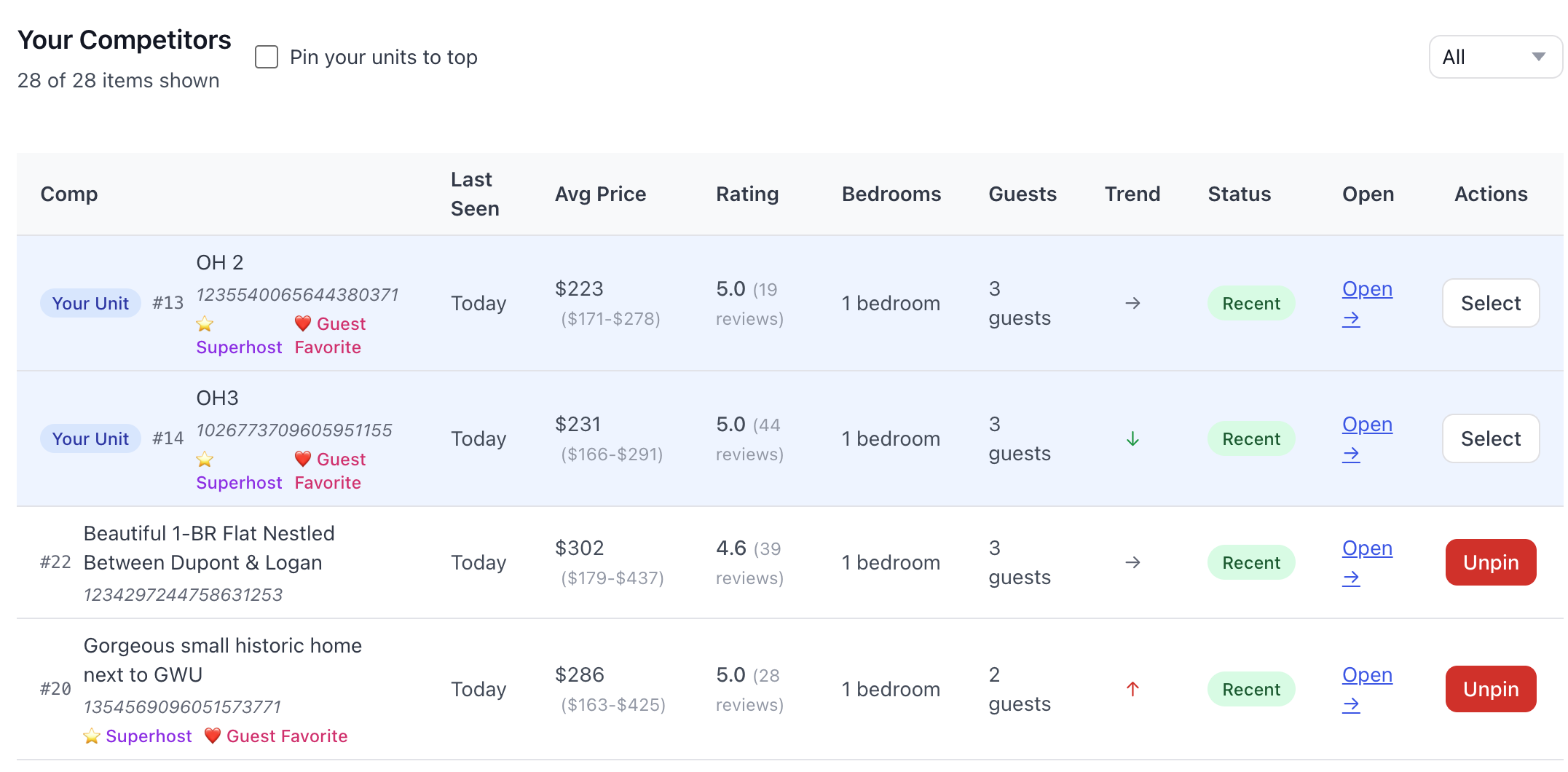
Your Comp Set
Track comps across scans
Why Competitive Context Matters
We built the competitive intelligence layer that helps you evaluate if your pricing strategy actually makes sense. On top of that, we built the pricing agent that can help you adjust your rates based on the competitive context.
In the highly competitive short-term rental market, small missteps add up fast. A few better-informed decisions per month compound quickly. Now you can see exactly where you're positioned against the competition, and adjust your strategy with confidence.
How It Works
1) Scan your market
Define your neighborhood and search criteria
2) Build your comp set
Pin listings from the map or add by ID
3) Price with confidence
View comps and ranges by date
The Research Layer Most Hosts Skip
Before automating rates, understand and track your market
Pricing tools adjust your numbers automatically. But those adjustments are only as good as your baseline understanding of where you sit competitively. Without that context, you're flying blind.
See when to push brakes and when to accelerate
A few better decisions per month compound quickly. Spot the dates where you have pricing power. Identify when you need to compete harder.
Small improvements in competitive awareness create margin that goes straight to your bottom line.
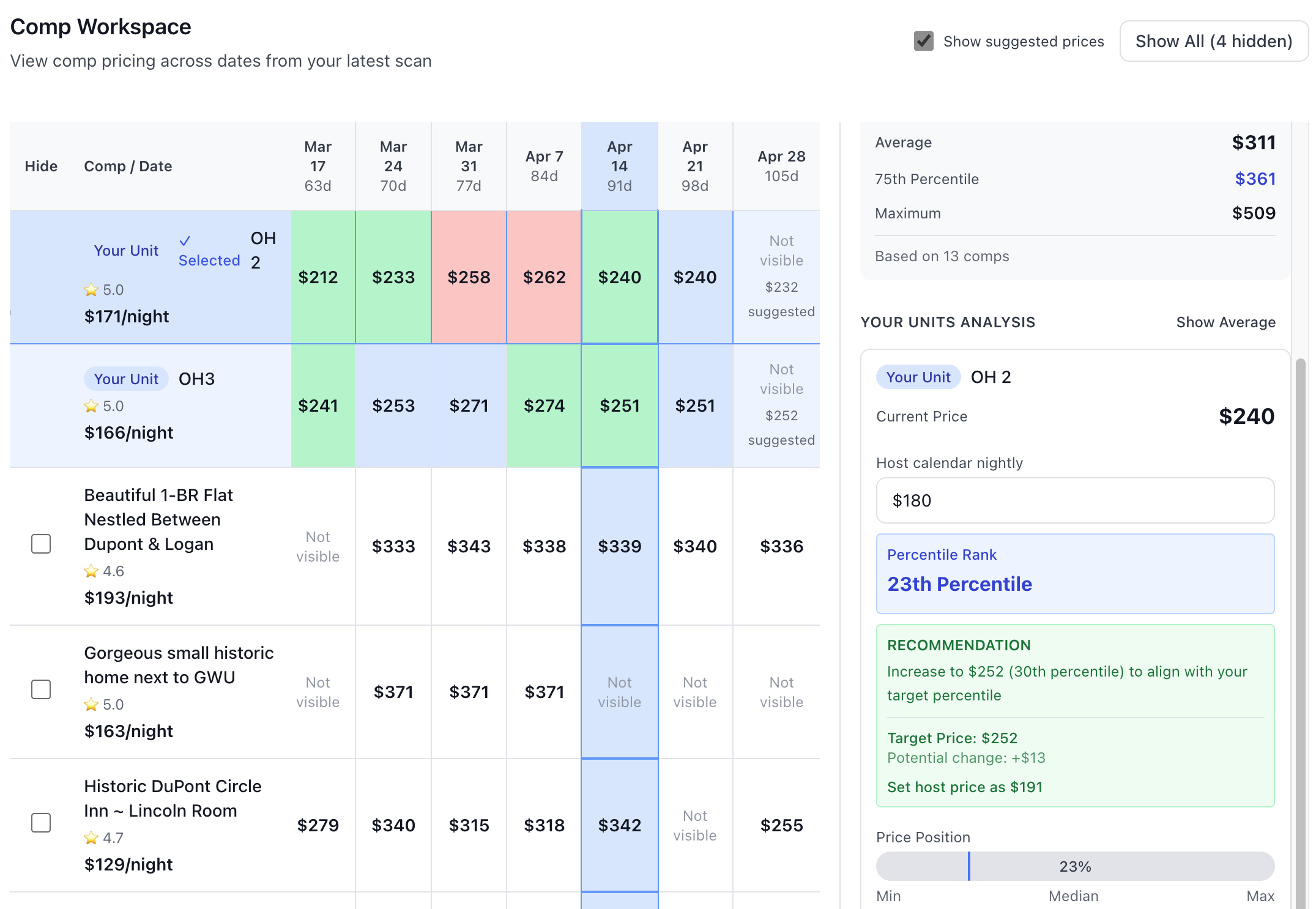
View Comps by Date
See comp pricing across future dates, then click any date to instantly view price ranges, see where your units rank against the competition, and get suggested prices to be in line with the competition.
Pin Comps from the Map
Explore your neighborhood visually, inspect listings with a click, and pin the ones you want to track. Your workspace remembers everything across scans.
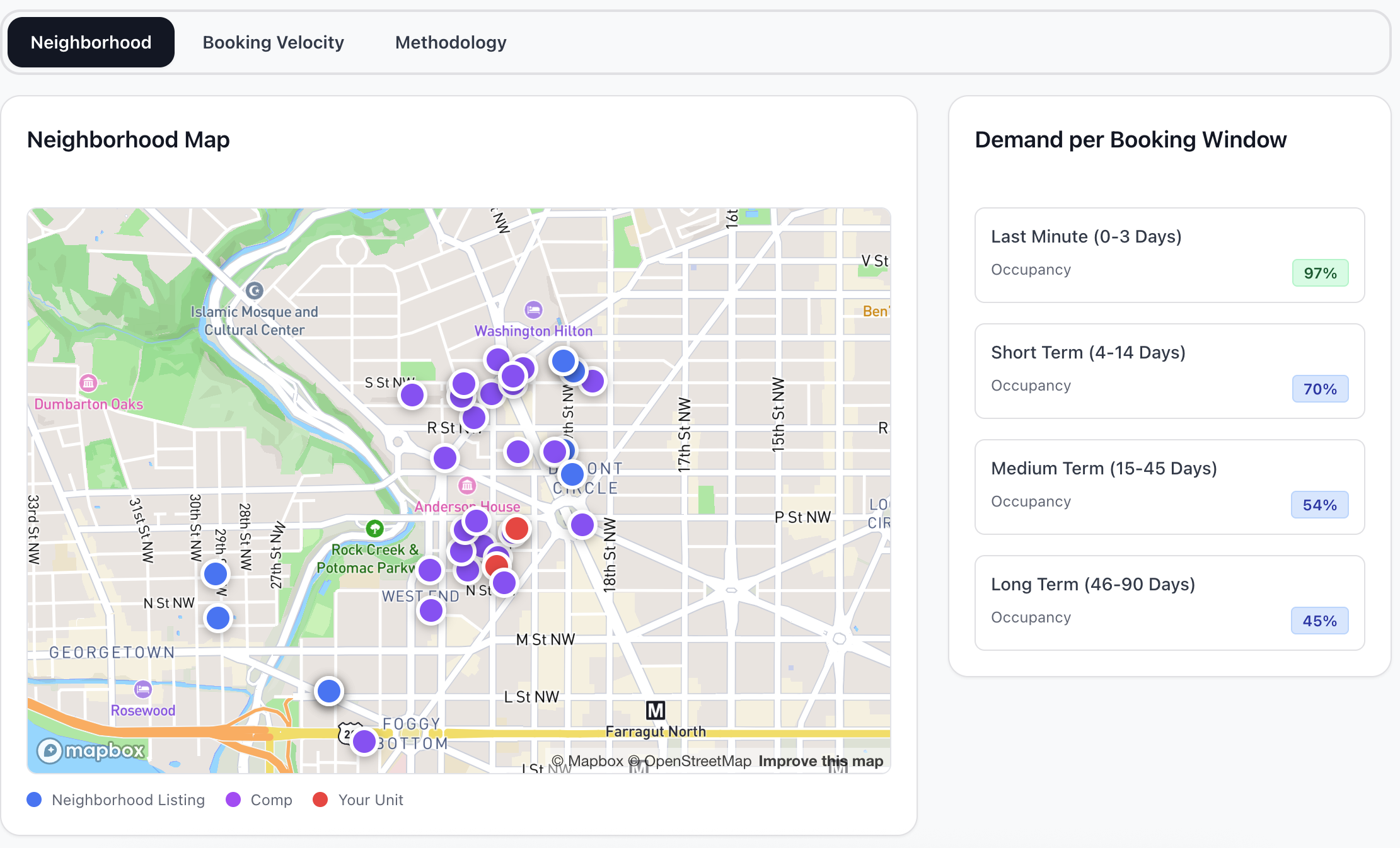
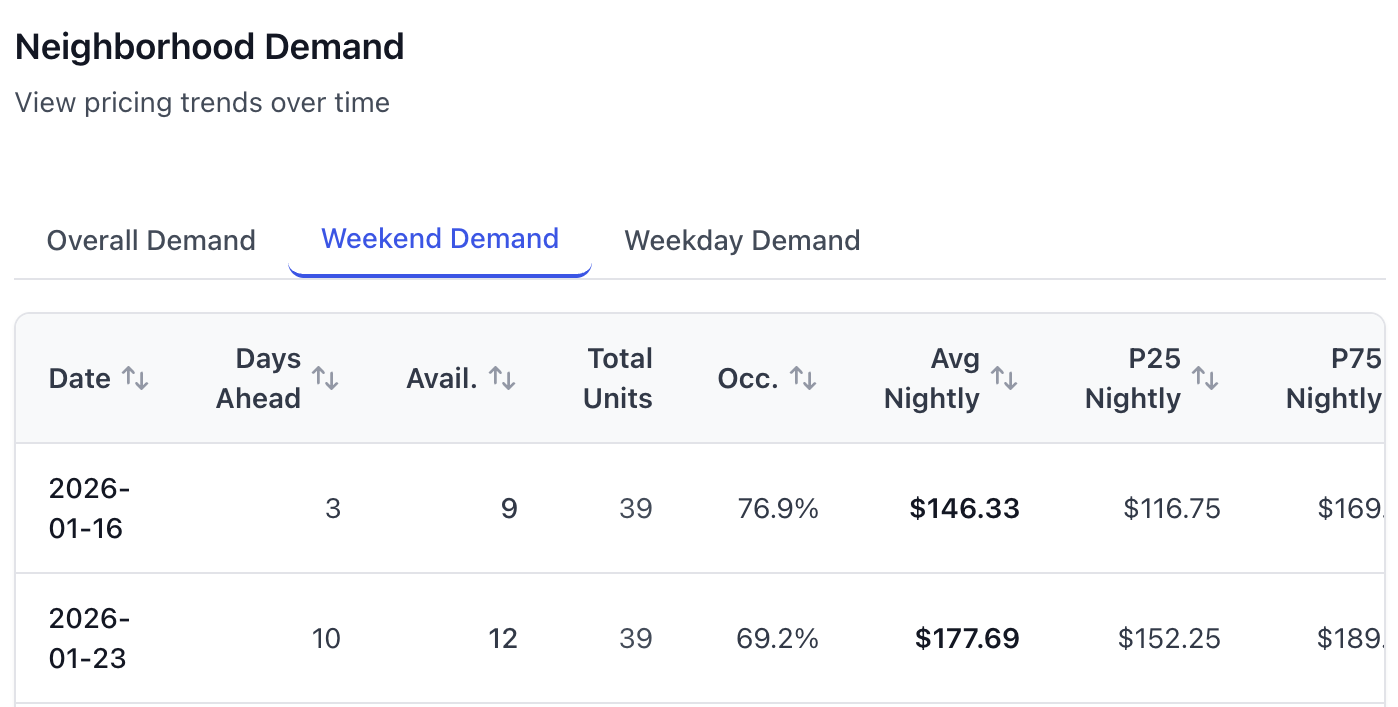
Neighborhood Price Ranges and Demand Patterns
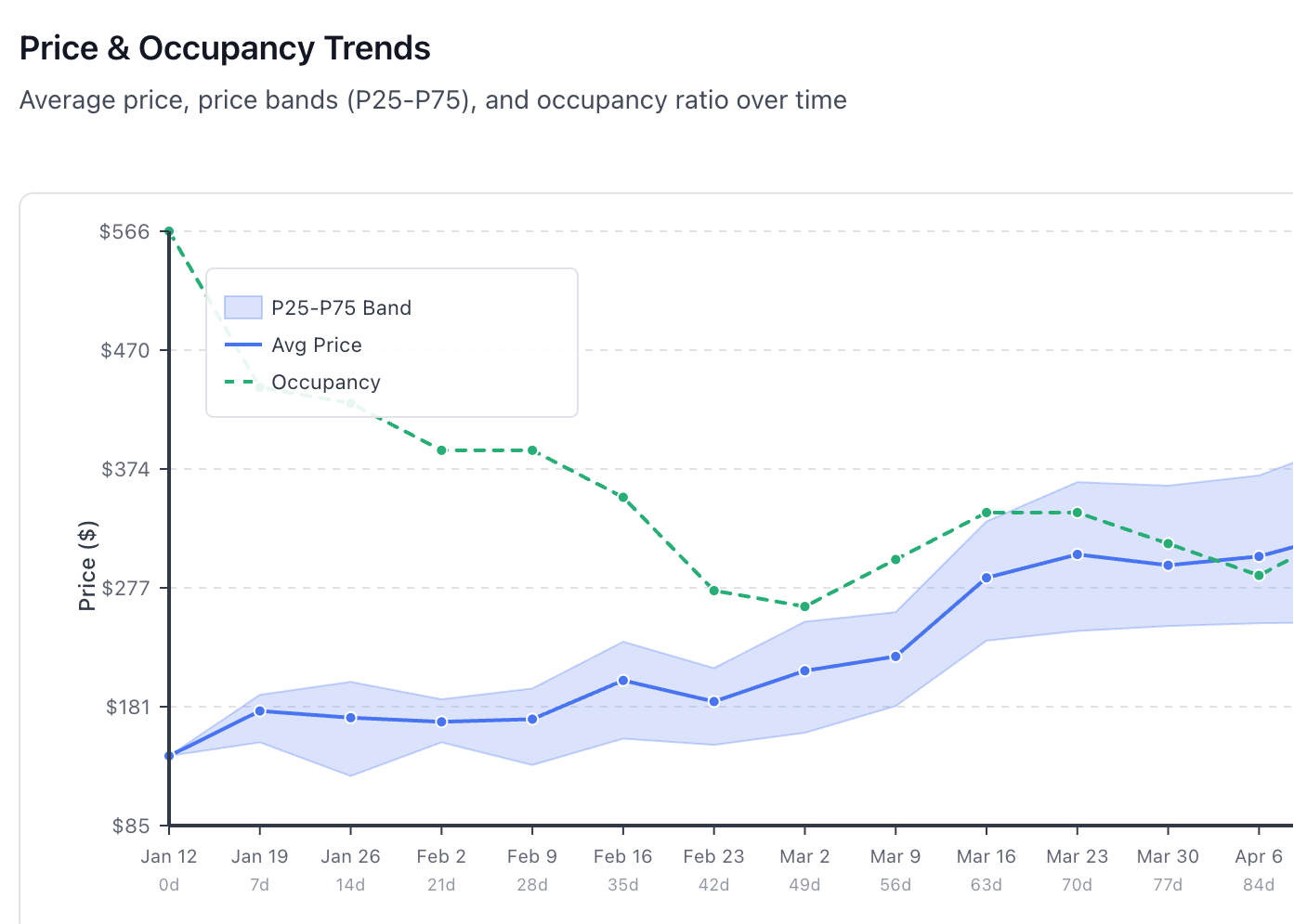
See low, mid, and high price ranges for your neighborhood across all dates. Understand which dates support premium pricing and which don't.
Price bands by date
Understand the spread, not just an average
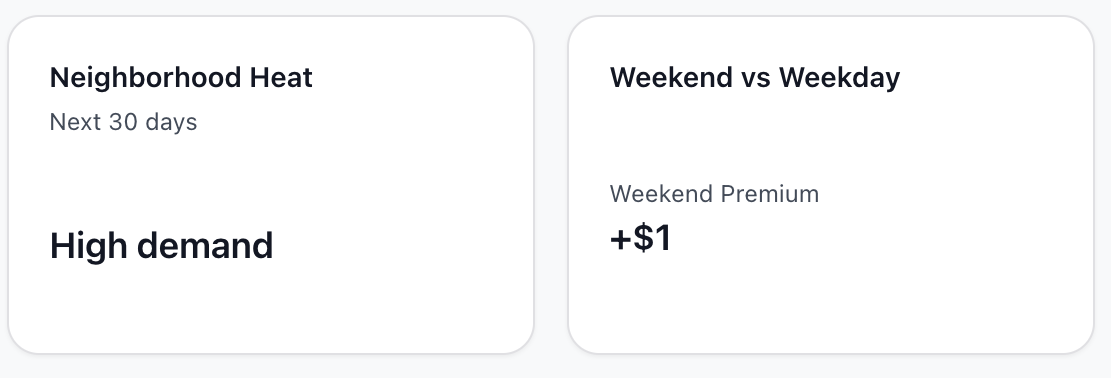
Weekday vs weekend dynamics
See different pressure profiles by day type
Pricing Plans
Be a guest for free. No credit card required. Cancel anytime.
Guest
Perfect for trying out the workflow
Host
For individual hosts with one property
per month
FAQ
Who needs this?
Who needs this?
Hosts, property managers, investors, who is curious to see where the current short term rental prices stand.
How is this different from a pricing tool?
How is this different from a pricing tool?
Pricing tools automate rate changes, but they don't show you why. This platform reveals the competitive context—where you rank against comps, market trends, pricing power, and suggest live prices given the current market environment.
I'm an investor researching markets. Is this for me?
I'm an investor researching markets. Is this for me?
Absolutely. You don't need to pay thousands of dollars to get a glimpse of potential markets. Run scans in any neighborhood you're considering, see real-time pricing dynamics, occupancy patterns, and competitive intensity—all for a fraction of what traditional market research costs.
What does 'visible in search' mean?
What does 'visible in search' mean?
It means the listing appeared in the neighborhood's search results for that date and stay length. If it's not visible, it may be booked, blocked, or simply not shown for that query.
What does the Date Inspector show?
What does the Date Inspector show?
The Date Inspector shows the price ranges (low, mid, high) for comps visible on a selected date, and shows where your units rank in that range.
What's the difference between light and deep scans?
What's the difference between light and deep scans?
Light scans are faster and cover a shorter time window, perfect for quick checks. Deep scans look further ahead and gather more historical data for analysis. Free trial includes 14 day window of light scans only. Host and Pro plans include unlimited deep scans.
What is booking velocity?
What is booking velocity?
Booking velocity shows how availability tightens between scans for the same market. When listings book up faster, you'll see it in the data before it's too late to adjust pricing. Available only to Host and Pro plans.
Can I upgrade or downgrade anytime?
Can I upgrade or downgrade anytime?
Yes. Change your plan anytime from your account settings. Upgrades take effect immediately. Downgrades take effect at the end of your current billing period.
What's your refund policy?
What's your refund policy?
We offer a 30-day money-back guarantee on your first paid month. If you're not satisfied, contact us within 30 days for a full refund.